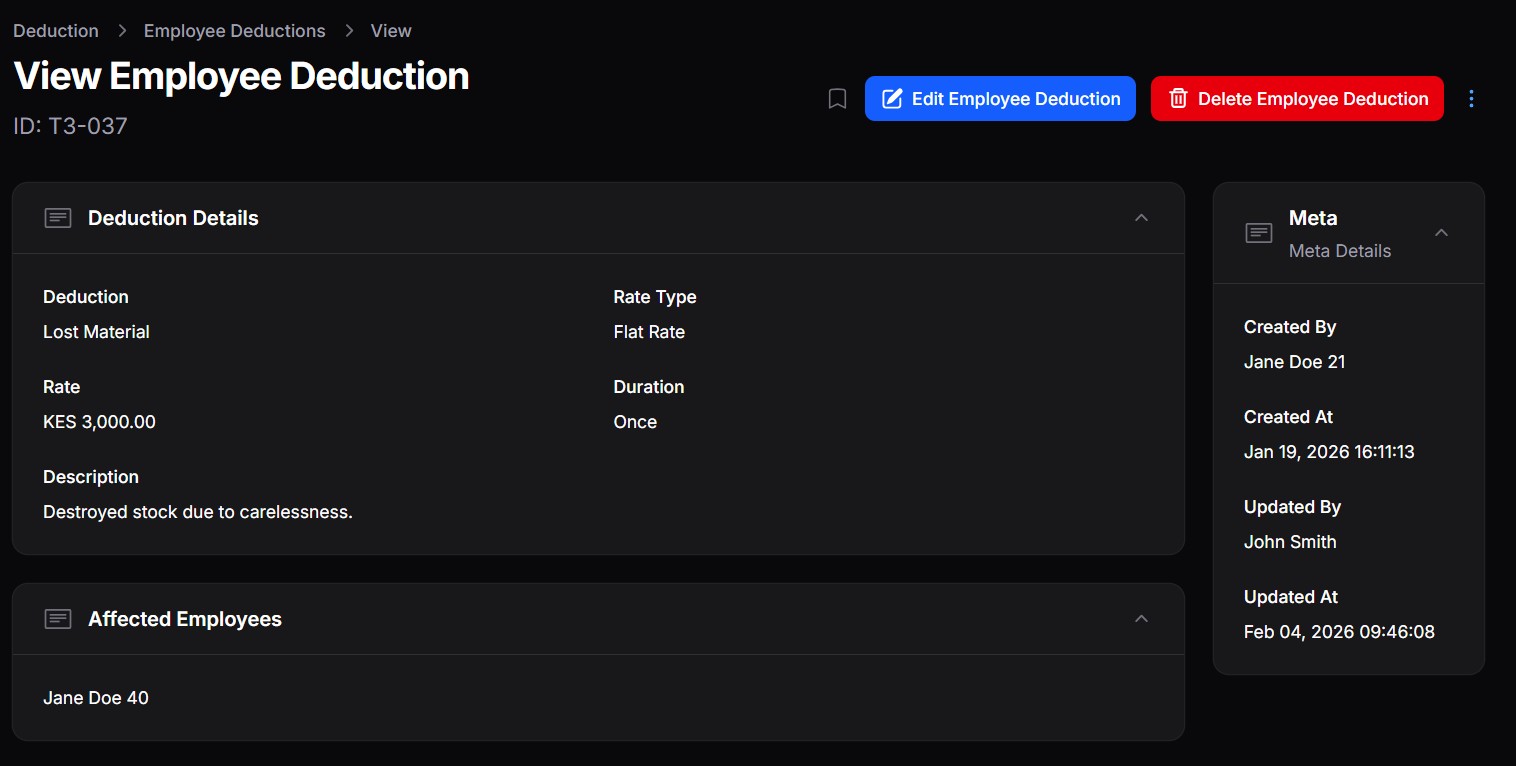

The DMS supports flexible employee deductions that can be applied during payroll processing. Deductions allow you to subtract statutory contributions, taxes, or internal charges from an employee’s gross pay in a controlled and auditable manner.
The deduction workflow is done in two main steps:
- Define deduction types
- Assign deduction values to employees
Step 1: Define Deduction Types #
Before deductions can be applied to employees, they must first be defined in the system.
Go to: Payroll → Deductions
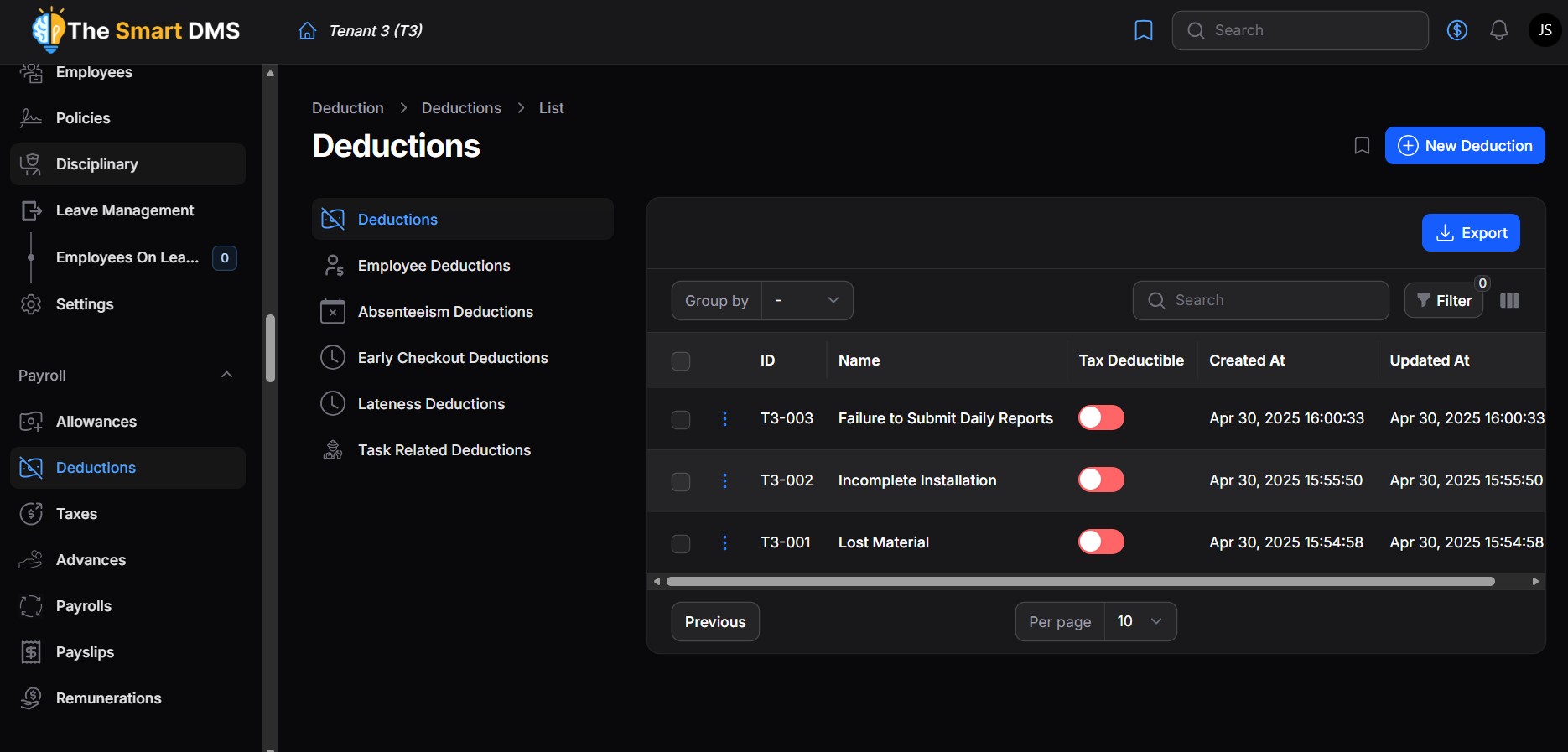
Each deduction represents a deduction category that can later be assigned to one or more employees.
Common Deduction Examples (Kenya) #
You can define deductions such as:
- Pay As You Earn (PAYE) – Income tax deducted based on taxable pay
- National Social Security Fund (NSSF) – Statutory pension contribution
- Social Health Authority (SHA) – Health contribution (formerly NHIF)
- Housing Levy – Statutory housing contribution
- Lost or Damaged Items
Deduction Fields Explained #
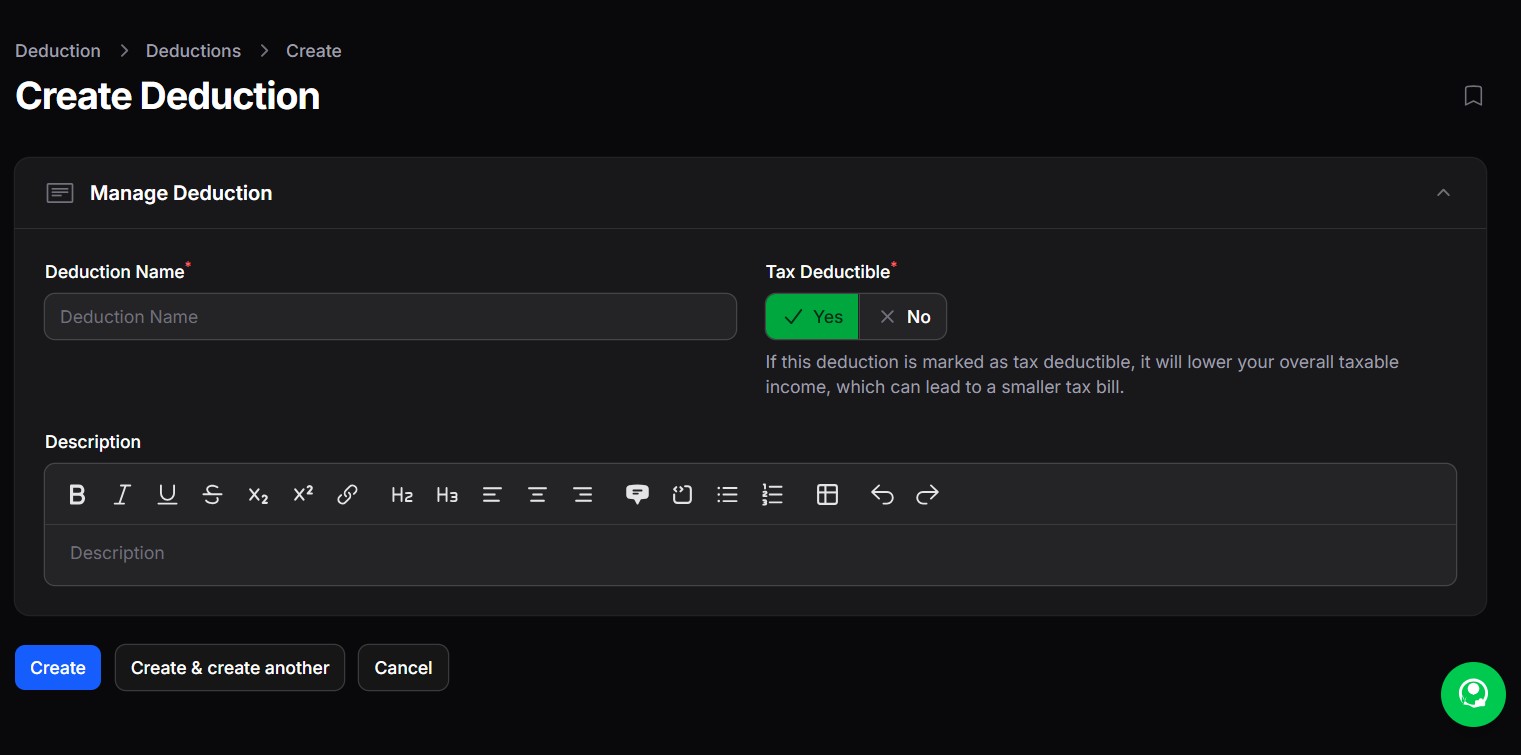
- Deduction Name
The name of the deduction (e.g. PAYE, NSSF, Lost Items). - Tax Deductible
Indicates whether this deduction reduces the employee’s taxable income.- If enabled, the deduction is applied before tax calculation.
- Common examples: Pension contributions, NSSF (depending on rules).
- Description
Optional explanation of what the deduction is used for or how it is applied.
Once saved, the deduction becomes available for assignment to employees.
Step 2: Assign Deductions to Employees #
After defining deductions, you can assign them to specific employees with custom values.
Go to: Payroll → Employee Deductions
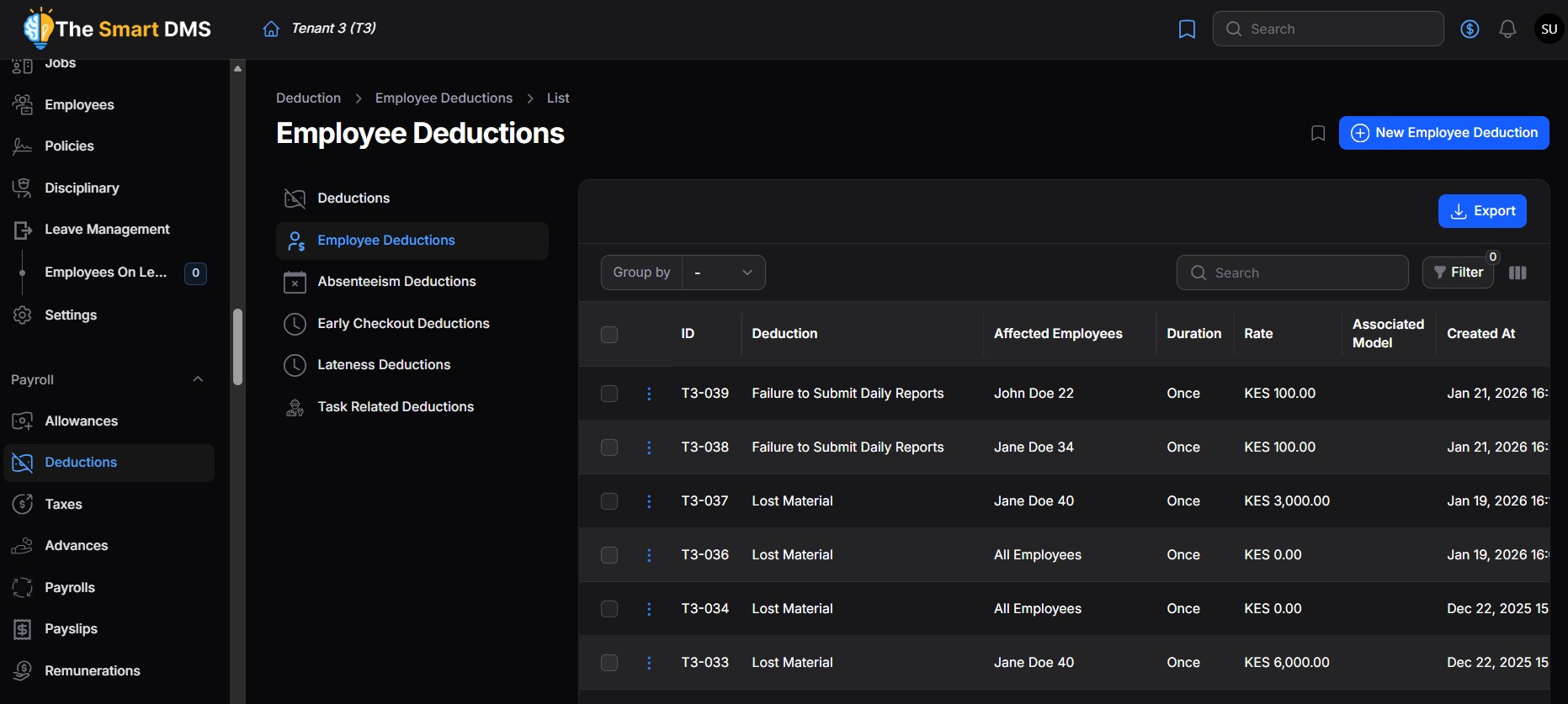
Each record here links:
- Employees
- A deduction
- A calculation rule
Employee Deduction Configuration #
You create a deduction for an employee by going to Payroll > Deductions > Employee Deductions.
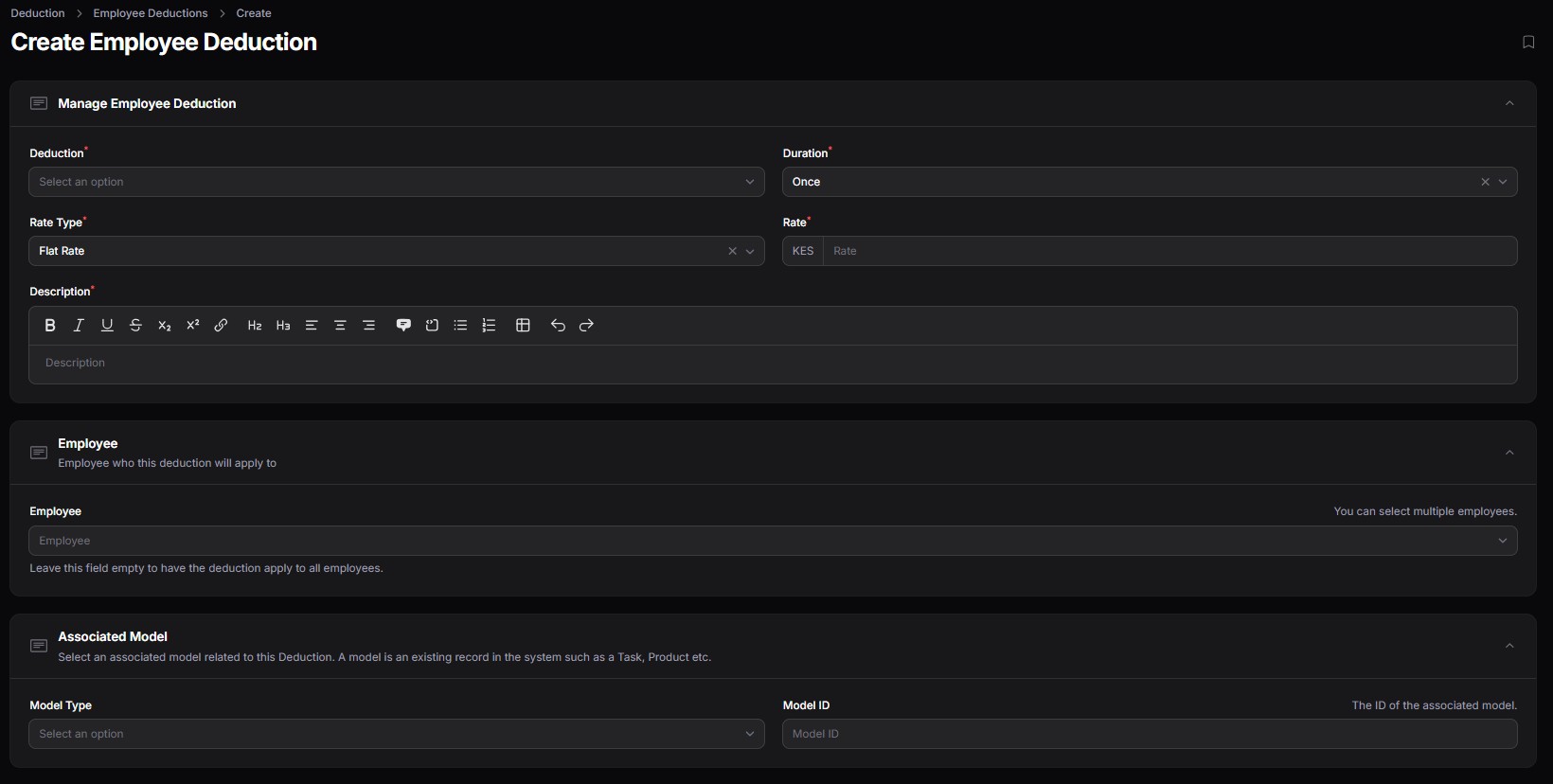
When assigning a deduction to an employee, you define the associated deduction, how it should be calculated and the affected employees.
Deduction #
In this field, you select the deduction you want to associate employees with.
Duration #
Controls how long the deduction applies:
- One-time
- Recurring per payroll cycle.
Rate Type #
Determines how the deduction amount is calculated:
- Flat Rate – A fixed monetary amount (e.g. KES 2,000)
- Percentage – A percentage of salary or taxable income (e.g. 6%)
Rate #
The actual value:
- For flat rate: currency amount
- For percentage: percentage value
Employees #
In this field, select the employees who are affected by this deduction.
Model Type & Scope #
Defines what the deduction is linked to (e.g. a product that is lost). The model should exist in the system. If not, you can leave the field empty.
Description #
Optional notes specific to this employee’s deduction (e.g. Loan repayment for January–June).
Sample Employee Deduction #