
Skip to content
The Smart DMS Knowledge Base
  • Home
  • Documentation
  • Encyclopedia
Contact Us
Contact Us
The Smart DMS Knowledge Base
  • Home
  • Documentation
  • Encyclopedia
Contact Us
Contact Us

Introduction

3
  • Overview of The Smart DMS
  • Getting Started with The Smart DMS
  • Understanding The Smart DMS Architecture

Common

31
  • Bookmarks
    • How To Add & Remove Bookmarks
  • Communication
    • Communication Overview
    • Settings
      • Communication Settings Overview
      • Email Settings
        • How to Configure Outgoing Email (SMTP) Settings
        • Email Templates
      • SMS Settings
        • SMS Shortcode & API Settings
        • SMS Message Templates
      • WhatsApp Settings
        • Official WhatsApp API Settings
        • WhatsApp Templates
    • Panel Banners
      • Panel Banners
    • WhatsApp
      • WhatsApp Overview
      • How to Setup a WhatsApp Web Session
      • How to Subscribe to System Updates in WhatsApp Groups
    • Web Push Subscribers
      • Web Push Subscribers Overview
  • Content Management
    • How To Add Content Such As FAQs & Guides
    • Content Management Overview in The Smart DMS
    • Categories
      • Managing Content Categories
    • Tags
      • Managing Content Tags
  • Logs
    • Tracking Actions: Understanding Logs in The Smart DMS
  • Notifications
    • How to Enable/Disable Notifications
  • Roles & Permissions
    • User Roles & Permissions Overview
    • Understanding Roles & Permissions Across Central and Tenant Panels
    • How To Create User Roles
  • Search
    • Using the Global Search Bar in The Smart DMS
  • Settings
    • Authentication
      • Authentication Settings
    • General
      • General Settings Overview
      • Do I Use Tenant-Specific or Central Settings
  • Users
    • How to Register a User
    • How To Update a User & Assign Roles
    • How To Bulk Assign User Roles
    • How To Update Your Profile

Central

13
  • Main
    • Dashboard
    • Clients
      • Central Clients
    • Tasks
      • Central Tasks
    • Tenants
      • Tenant Overview — What Is a Tenant in The Smart DMS?
      • How To Create a Tenant
      • Updating a Tenant and Managing Assigned Users
      • Customizing Tenant Labels
    • Payroll
      • Payroll Overview
      • Commissions
      • How to View Your Account Balance
    • Policies
      • Managing Policy Categories
      • Managing Company Policies & Training Manuals in The Smart DMS
    • Subscription
      • How To Renew Your Smart DMS Subscription

Tenant

20
  • How To Access Different Tenants
  • Tenant Dashboard
  • Ecommerce
    • Products
      • How To Create Simple Products
      • How to Create Cable Products in Bulk
      • How To Create Variable Products In Bulk
    • Requisitions
      • How To Request Store Items
      • How To Approve Requisition Items
  • Tasks
    • Task Types
      • Task Types Overview
      • How To Create Task Types
    • Task Management
      • Task Statuses Overview
      • How To Create Tasks
      • How To View Unassigned Tasks
      • How To Mark a Task as Complete / Done
      • How To Start a Task
      • How To End a Task
    • Settings
      • Task Settings
  • Human Resource
    • Employees
      • How To Update Employees
  • Marketing
    • Marketers
      • How to Create a Marketer
    • Commissions
      • Commissions Overview
      • Uncommissioned Tasks
  • Home
  • Documentation
  • Tenant
  • Tasks
  • Task Types
  • Task Types Overview
View Categories

Task Types Overview

2 min read

Task Types in DMS define the core structure, behavior, and rules associated with different categories of tasks across various modules (e.g., an ISP might have these task types – Installation, Maintenance, Relocation etc). Each Task Type can have specific settings that control how tasks are created, managed, and evaluated.
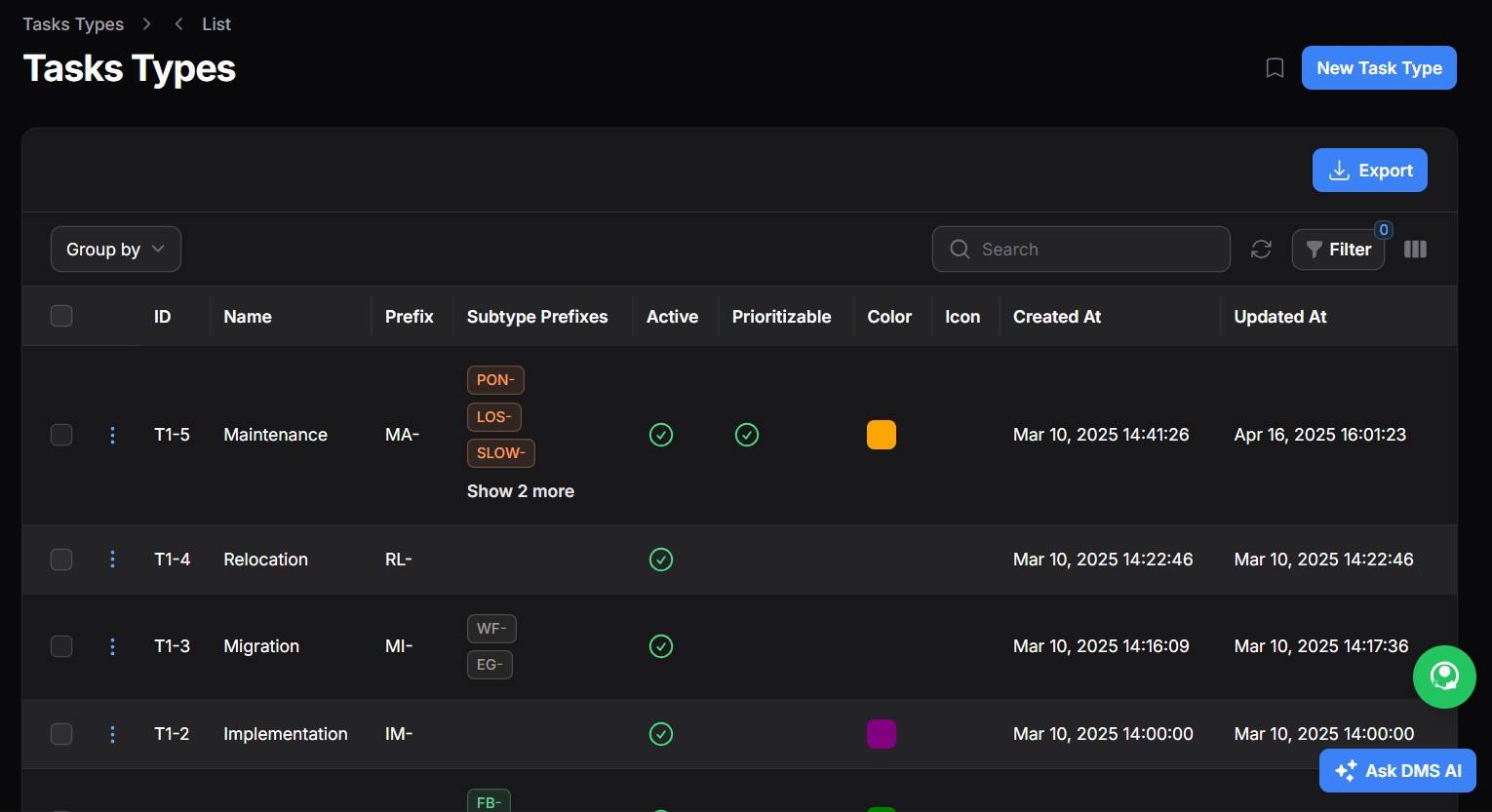
Task Types ensure:

  • Clear categorization of work
  • Role-based workflows for employees, marketers, and clients
  • Accurate tracking of remuneration, commissions, and SLA compliance
  • Automation of client charges and follow-up feedback

Key Elements of a Task Type #

1. Task Sub Types #
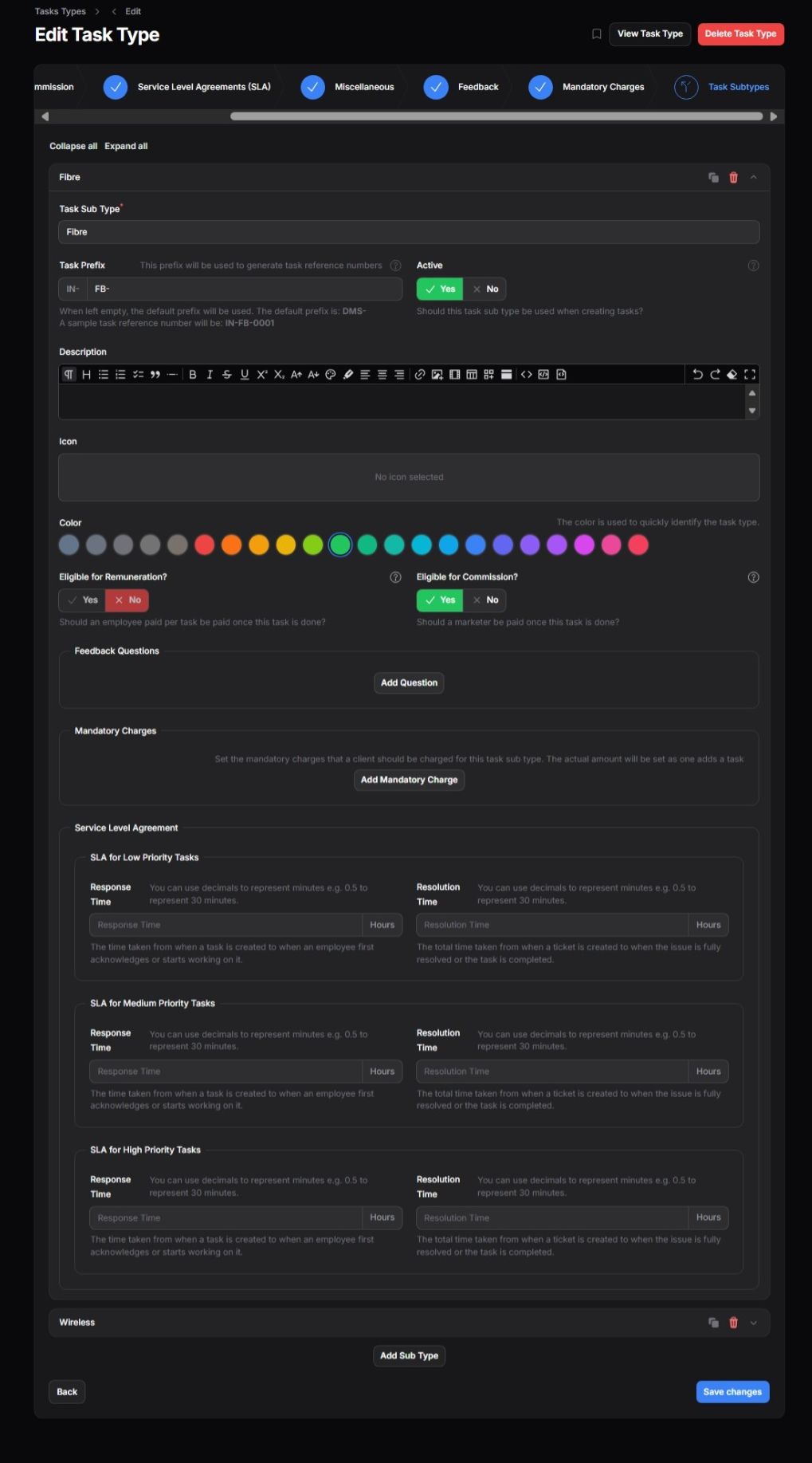
Each Task Type can have one or more Sub Types, allowing finer segmentation (e.g., for an ISP, under “Fibre”, you might have “Fibre – Home”, “Fibre – Business”).

  • Prefix: Generates unique reference numbers (e.g., IN-FB-0001)
  • Active Toggle: Determines if the sub type is currently usable
  • Color & Icon: Helps in quick visual identification

2. Remuneration & Commission #
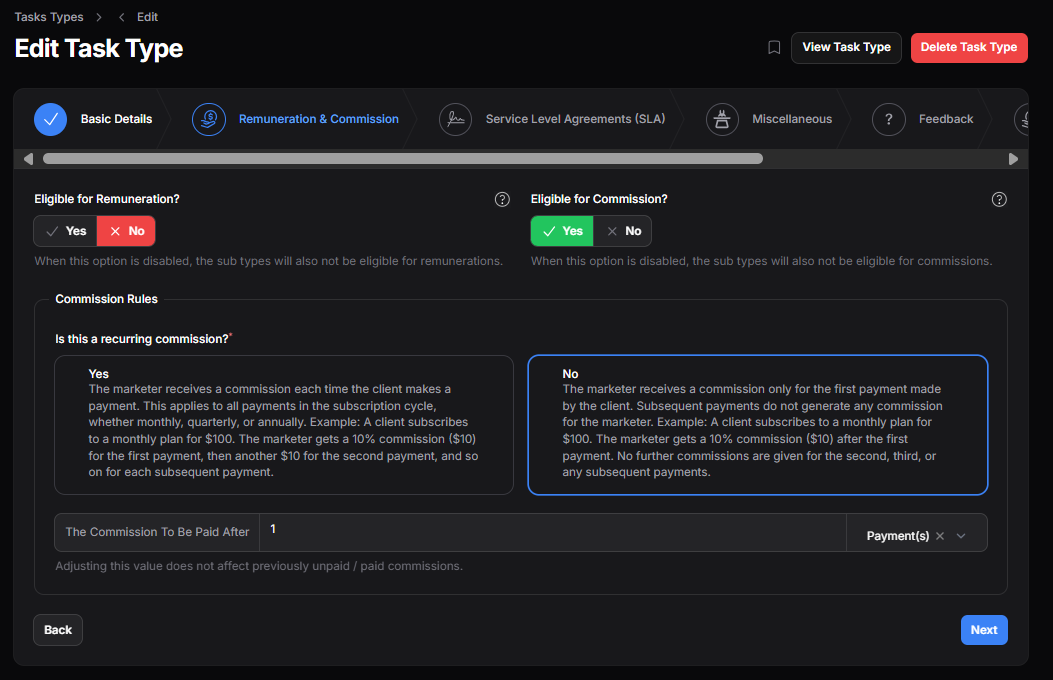
  • Eligible for Remuneration: Enables payment to employees per completed task
  • Eligible for Commission: Enables marketer commissions
  • Recurring Commission Settings: Choose whether commissions apply only to the first payment or every cycle

3. Service Level Agreements (SLAs) #
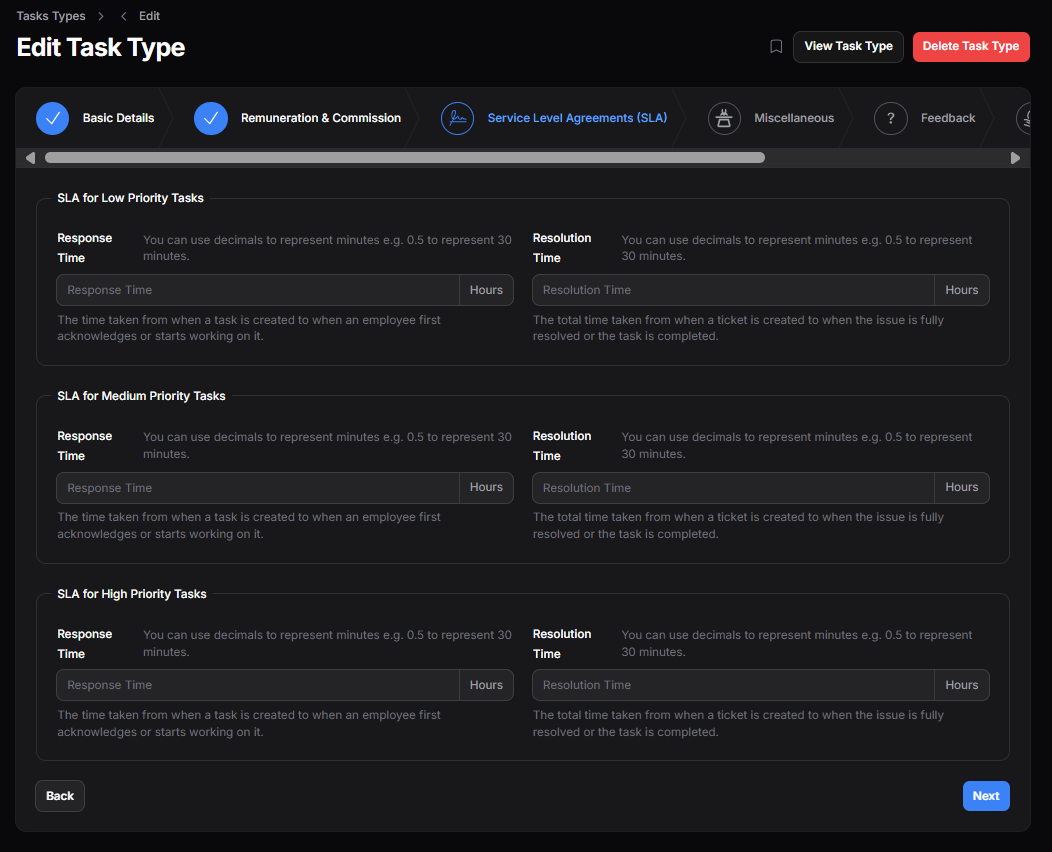
Each Task Type can define different SLA rules for:

  • Low Priority
  • Medium Priority
  • High Priority

Each SLA defines:

  • Response Time: How quickly an employee should acknowledge/start the task
  • Resolution Time: How long it should take to complete the task

4. Mandatory Charges #
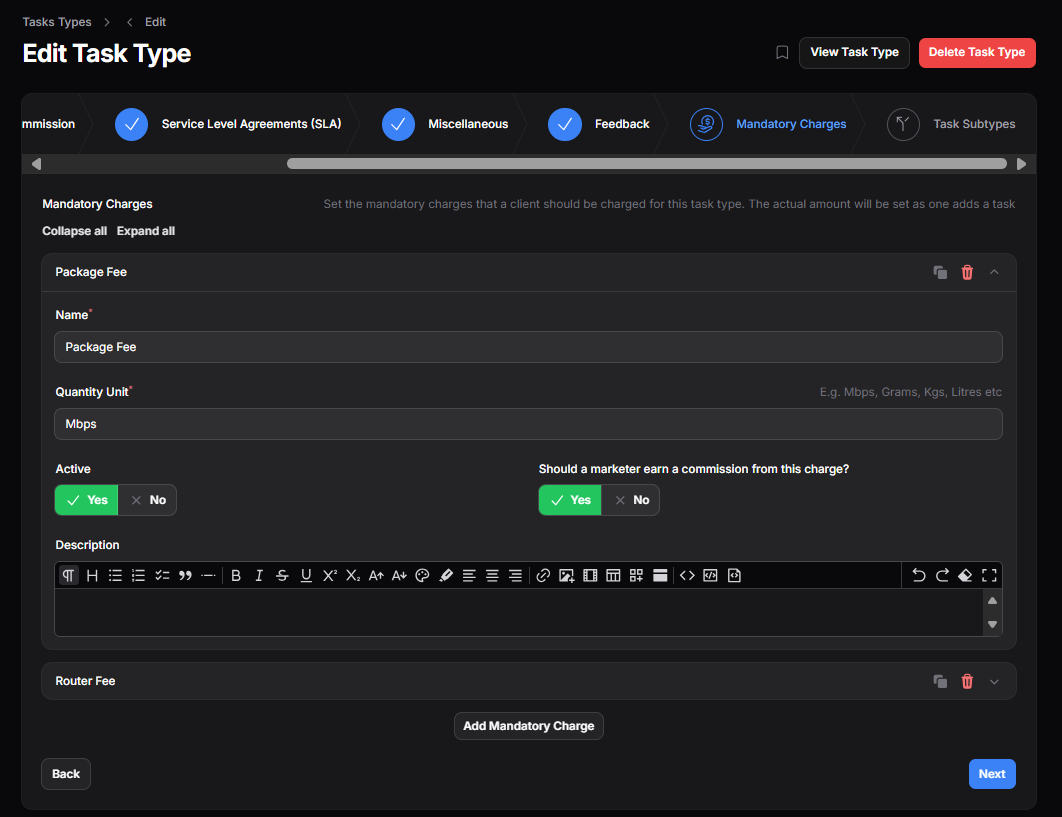
Task Types may include mandatory client charges such as:

  • Package Fee (e.g., per Mbps)
  • Router Fee

These charges:

  • Can have defined quantity units (e.g., Mbps, Kgs, Units)
  • Support marketer commissions

5. Feedback Questions #
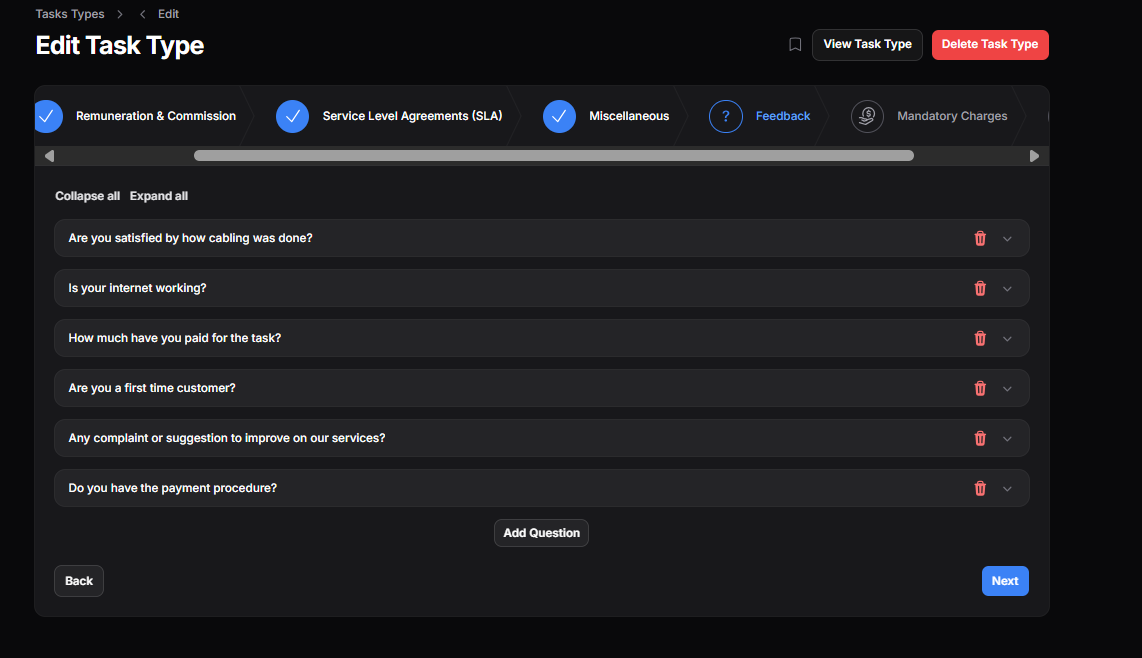
Add feedback forms specific to the task, such as:

  • Is your internet working?
  • Are you satisfied with the service?
  • Any suggestions for improvement?

These are shown to the client after task completion.

6. Miscellaneous Options #
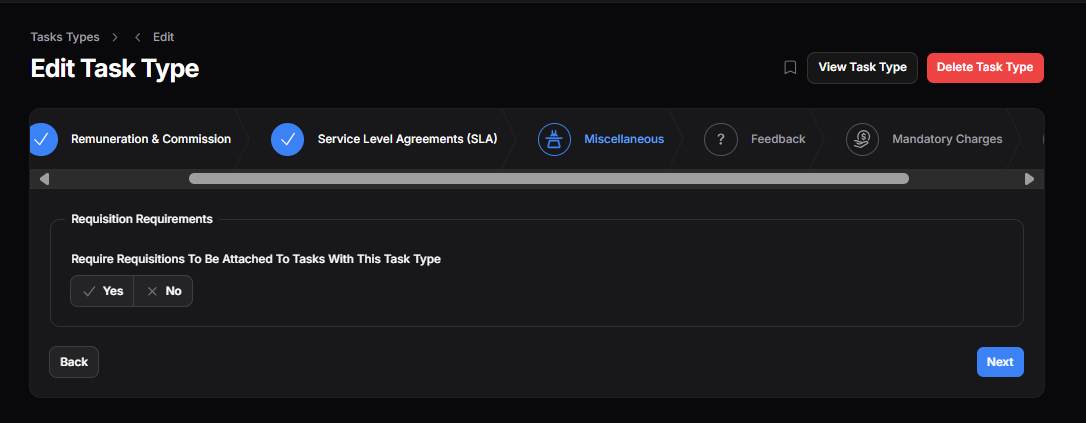
  • Requisition Requirement: Mark if a task type requires a requisition to be attached before a task is completed.

Share This Article :

  • Facebook
  • X
  • LinkedIn
  • Pinterest
Still stuck? How can we help?

How can we help?

How To Create Task Types
Table of Contents
  • Key Elements of a Task Type
    • 1. Task Sub Types
    • 2. Remuneration & Commission
    • 3. Service Level Agreements (SLAs)
    • 4. Mandatory Charges
    • 5. Feedback Questions
    • 6. Miscellaneous Options

123 Fifth Avenue, New York, NY 12004, USA.
+1 123 456 78 90
[email protected]

Copyright © 2025 The Smart DMS Knowledge Base